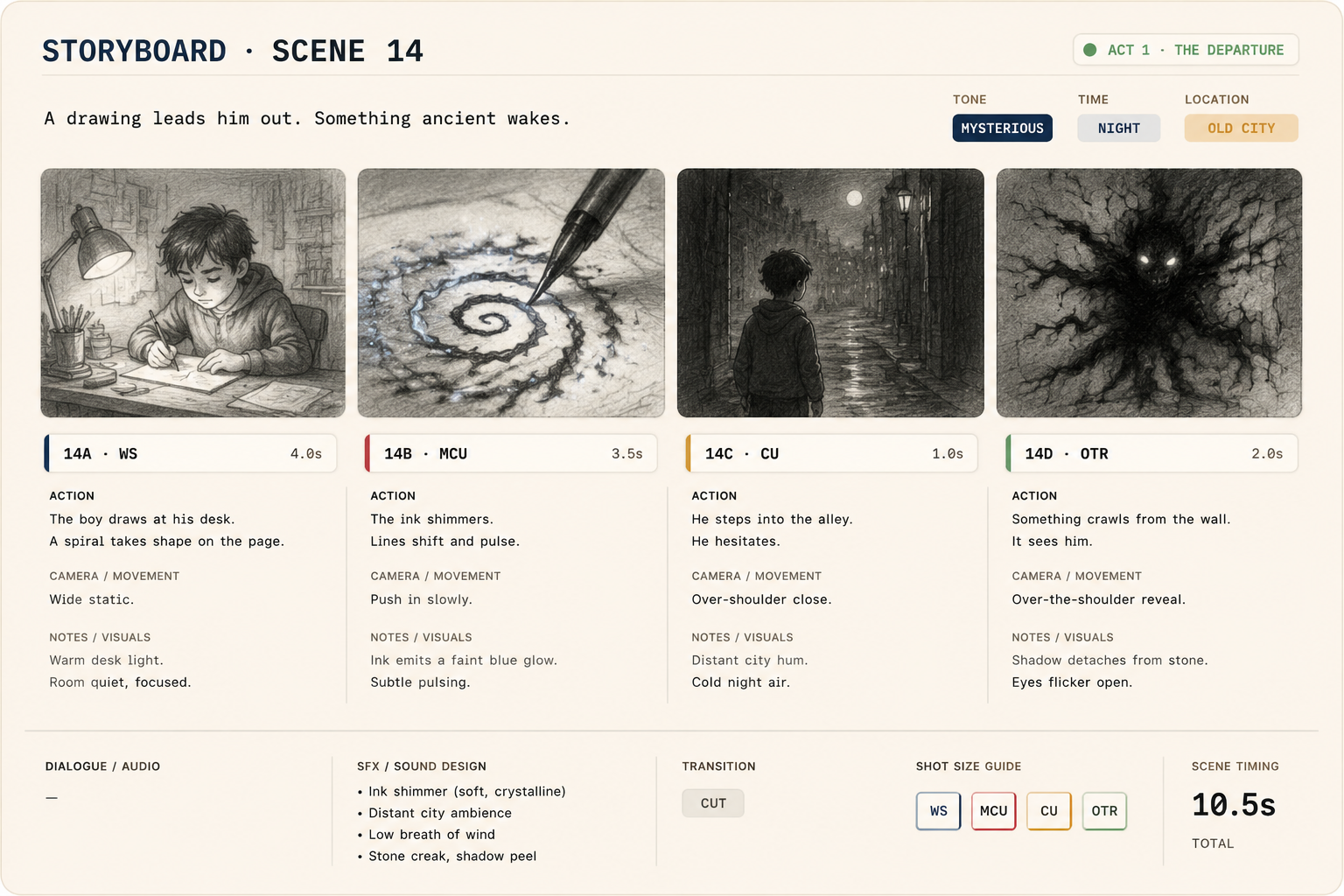
Storyboard auto-bound to the script
Panels sync from the screenplay and inherit the scene's characters, world, props and beat. Re-order, split, drag panels in — scene memory stays consistent.
A shot isn't a prompt — it's a position in a pipeline. The screenplay seeds the storyboard, the storyboard seeds the shot list, and every take returns to the project as a versioned asset, ready for the cut.
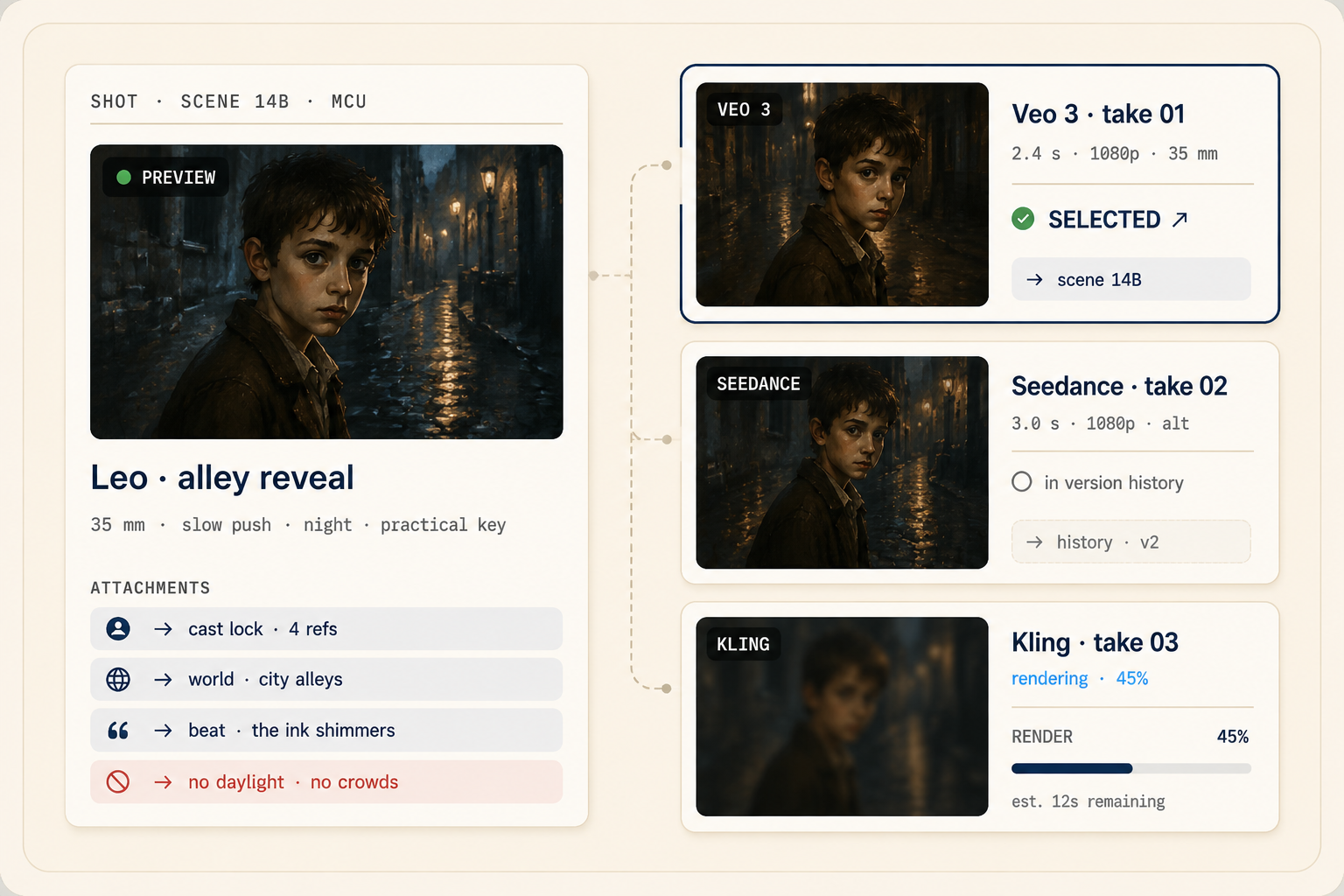
Each shot is a composition of scene context, cast variant, world, lens, references and constraints — assembled for you, sent to the right model.
Panels sync from the screenplay and inherit the scene's characters, world, props and beat. Re-order, split, drag panels in — scene memory stays consistent.
An LLM director reads the scene and proposes the shot list: coverage angles, lens choices, blocking notes. Keep what works, redirect what doesn't.
Build shot 14B and the prompt is half-written: scene heading, cast variant, location, lens, constraints — auto-attached. You add direction.
Send the same shot to Veo, Seedance and Gemini in one click. Compare in the project, keep one; the rest stay in version history with comments and approvals on each take.
The screenplay seeds panels with characters, world and beat already attached.
The key-scene director proposes coverage; Shot Builder hands you briefs that know the scene.
Pick takes across model routes and assemble the cut in Clip Composer.
Start with a premise, a screenplay, or a folder of references. We'll set up your provider keys and walk through the first scene with you.
Cookie settings
We use analytics cookies to improve MML ONE. You can decline anytime. Privacy